Note: This is an updated and expanded version of the original article: 3 kid-friendly STEAM electronics projects that harness NOAA’s massive public databases.
If you’re anything like me, you probably have a stack of assorted electronics in various stages of disrepair, which is great for your hardware hacking dads and moms, but kids need projects with a little more structure and, especially for the younger ones, a lot less soldering. Finding good, educational projects to keep our kids as occupied and teaching them a little bit about how the technological world they’re inheriting works can feel like a daunting task. After all, we can’t build open-source CTDs every day.
Fortunately, the awesome folks at Adafruit have built up an absolutely massive collection of electronics projects using just about every component you can imagine. I’ve culled through the archive to find several kid-friendly (projects that don’t require a lot of soldering or involve particularly risky components) ocean and environmental projects to help students learn a little bit about electronics and the natural world.
The best news is that, for most of these, you don’t need any background in electronics either. Learn together.
Keep track of the tides with an e-ink display
Keeping an eye on the tides is important for anyone living near the coast. This handy little tide tracker uses an Adafruit MagTag to ping NOAA’s daily tide data and display peak times and a graph of the cycle. The display is eInk, so the battery on it last for several weeks between charges.
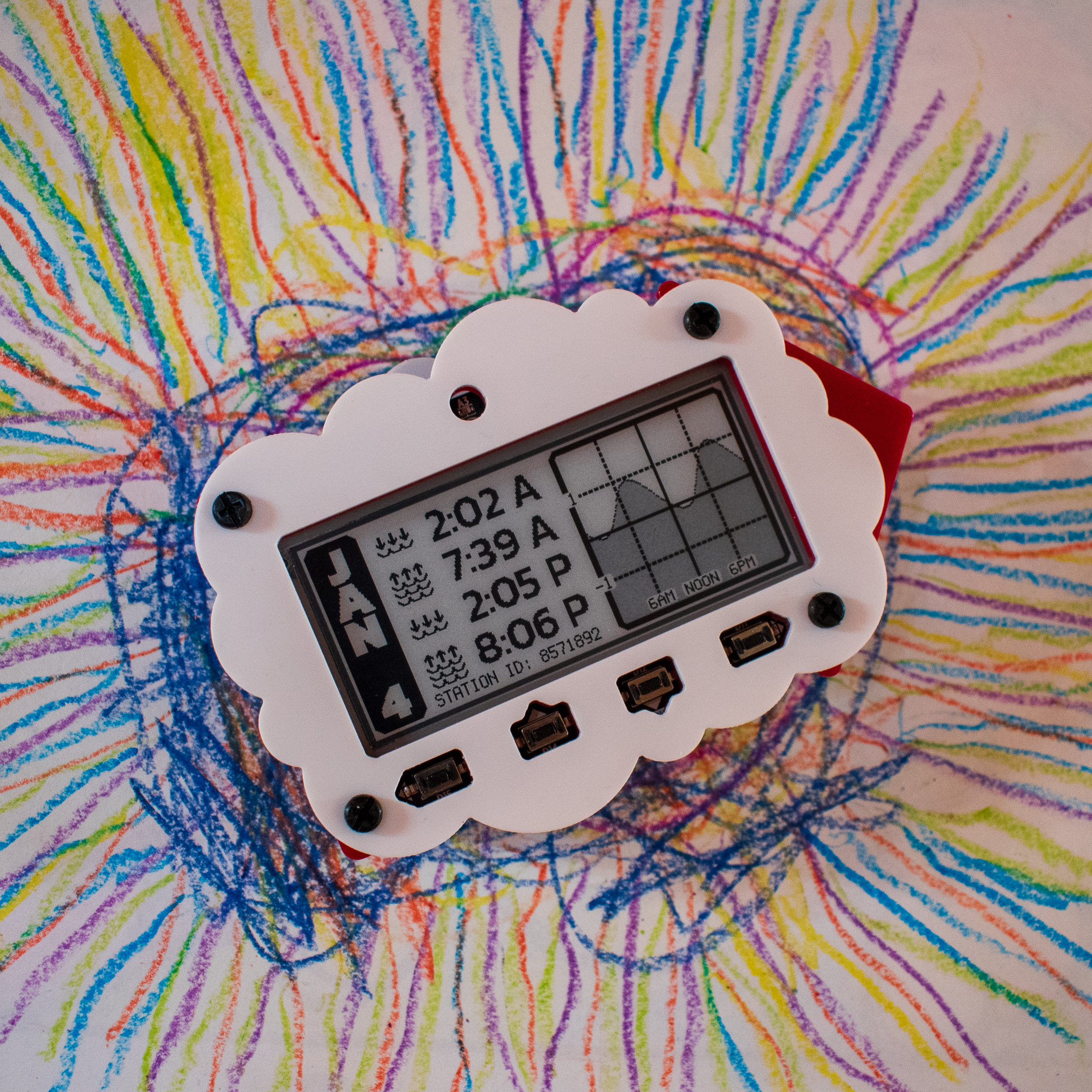
I really like this project as a starter. The hardware is dead simple. The MagTag is fairly inexpensive and self contained, so you don’t have to worry about connecting the eInk display to an external driver. Adafruit even provides a kit with battery and magnetic feet so you can mount your tide tracker on the fridge.
There is only a minimal amount of coding involved. All of these projects will require you to set up a “secrets.py” file to connect to your wifi network. This is where you’ll put any login information as well as set your time zone.
You’ll have to connect to the NOAA Tides web service, which provides tidal data for the entire United States. You’ll then have to determine the station ID for your nearest NOAA tidal monitor and add that ID to the source code. And then, depending on how extreme (or, in my case, mundane) your local tides are, you might have to change the scale on the graph to make it look nice.
And that’s it. A little bit of work and some time digging into NOAA’s ocean data and you’ll have a nice, compact tide tracker that updates automatically every day.
And now that you have the MagTag, there are dozens of other fun projects to try. There’s also a version that uses the PyPortal Viewer, since the MagTag has been out of stock the last few times I’ve checked.
Turn everyone’s favorite stuffed shark into an alarm clock
Do you have a Blahaj. I know David has a Blahaj. Now you can turn your Blahaj into a light up alarm clock, because who doesn’t want to wake up to a glowing shark.

Learn to integrate speakers, LEDs, and real-time clocks into embedded systems and make a charming light-up friend to get you up in the morning.
Live out your steampunk fantasies with a customizable two-way telegraph
Back when ships were powered by steam and radios weren’t so great, a ship would use a hardwired telegraph to relay messages between the helm and the engine room. You may have seen one in a fairly popular cinema classic from the previous millennium:
Adafruit has it’s own take on the two-way analog telegraph, with wifi connectivity and analog feedback servos. There’s a lot to learn in this build, from 3D printing to coding to servos to the internet of things, but with an infinite number of choices for the signal dials, you can make a messaging system that’s all your own. This will probably be my next fun project.
Follow the path of Atlantic hurricanes in real-time
2020 was a record shattering year for hurricanes, and NOAA was at the forefront, tracking storms and defending their data against an unprecedented assault on America’s civil service. With the help of the PyPortal, another handy, self-contained display, though this one has touch screen, you can build a device that pings the National Hurricane Center’s tropical cyclone database and updates at predetermined intervals.
And yes, hurricane season is over, but after last year, just having a warm display telling my there’re are no storms in the area is a comfort.
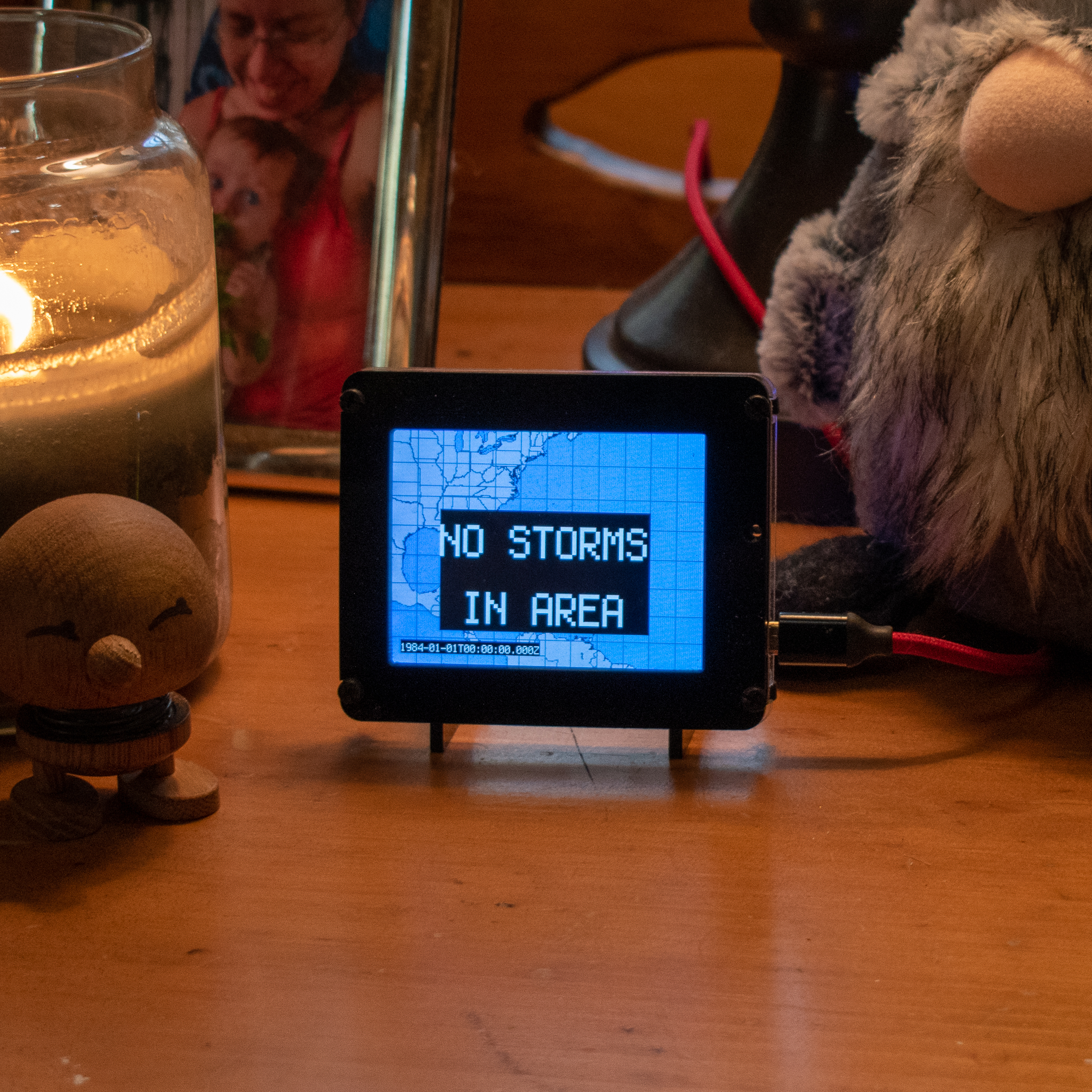
The PyPortal is also self-contained, so there’s no real hardware work to speak of. It can be connected to a battery, but as it’s an active display, you’re better off plugging it into the wall.
The reason I didn’t pick this as a starter project is that it’s almost too simple. You won’t have to do any custom coding beyond setting up CircuitPython and creating a secrets.py file. If you want to get fancy, you can change how often it pings NOAA (though respect the database. NOAA doesn’t need you pinging their server every tenth of a second. Once an hour is more than enough).
PyPortal is one of Adafruit’s most popular modules and there are hundreds of projects in the archive, from weather stations to plant monitors to simple gaming devices, so, as your kids move on to more sophisticated projects, it’s a great device to have in your arsenal.
Check your local weather on a massive LED display
Who wouldn’t want a huge, scrolling LED display that reports you local weather? This is by far the most complex hardware and software project on the list, but also the most satisfying (to be fair, anyone who has seen my workstation knows that I have a strong bias towards just too many RGB LEDs everywhere).
The Weather Matrix Display uses a MatrixPortal LED controller to drive a huge 64 by 32 RGB led display. It pings the Open Weather Maps API for location specific weather data (this API uses not just NOAA data, but other international databases, so it will work anywhere in the world).
You can use either an M4 Airlift or a MatrixPortal, but I strongly recommend the MatrixPortal, which you will connect to a RGB LED display (or two!). You might also want an LED diffuser (it’s not necessary, but I think it makes it look nicer). Everything screws or clicks together, so hardware setup is simple.
In addition to the basic CircuitPython setup, you’ll need to connect to Open Weather Maps API, which requires a free account to get a key. If you’re lucky, you should be able to follow the instructions to connect to your location. I ran into an issue where there were multiple locations with the same name, so had to tweak the code slightly to use station ID rather than a search query.
You’ll also need to connect to the Adafruit IO time server, which is free from Adafruit.
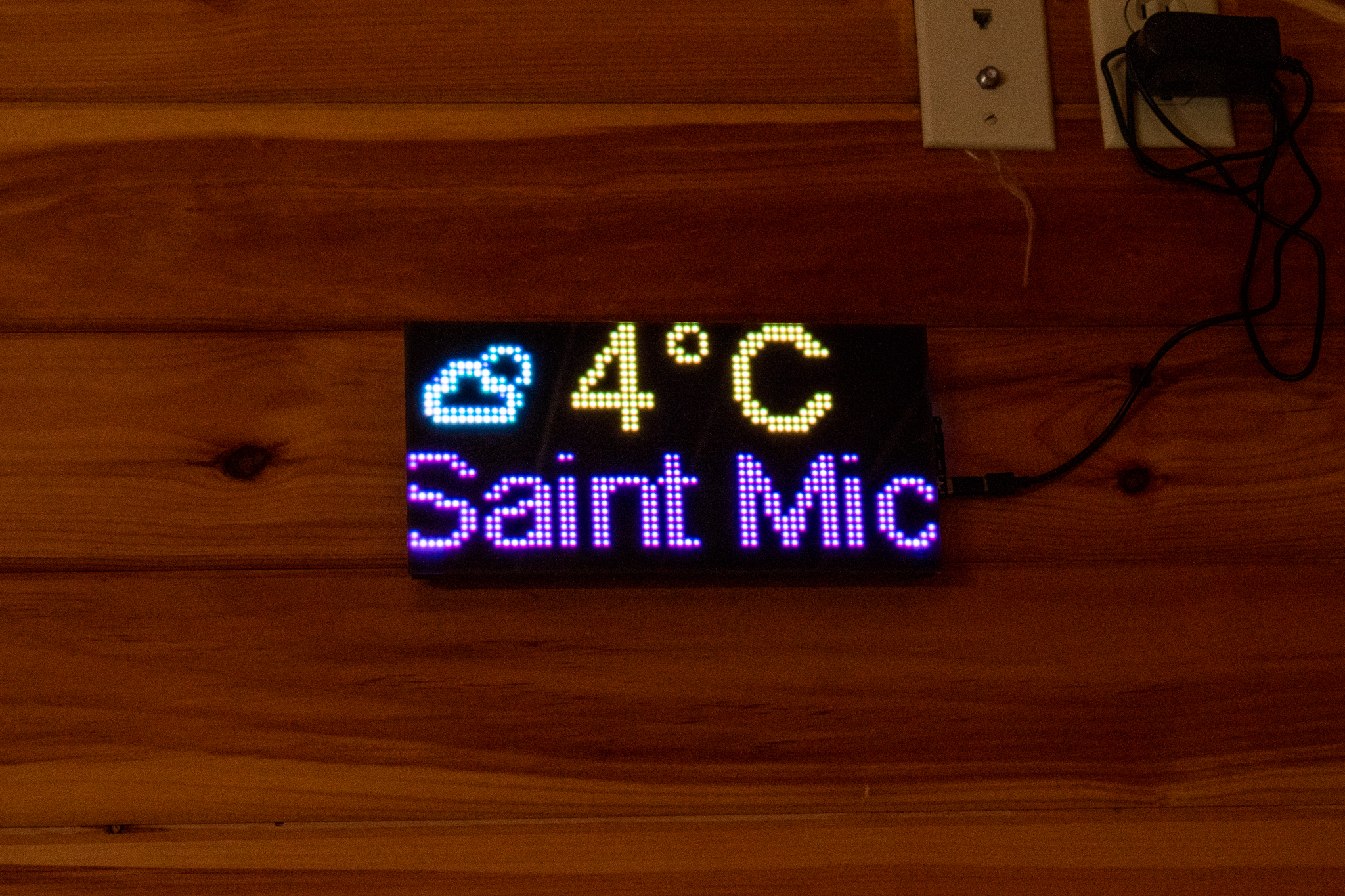
There are heaps of MatrixPortal projects, and the size of the display means you can do larger projects (we had the tombstone set up for Halloween). I particularly like the indoor CO2 monitor.
There’s so many other great guides at Adafruit that it’s worth getting lost in the learning portal for a few hours. My daughter and I recently built the talking D20 dice, which led to us discovering a neat trick that solved a long-running problem with the OpenCTD. Some fun ocean-themed projects include a WiFi Jellyfish Lantern and the Glowing Heart of Te Fiti Necklace from Moana. They also have a great little tutorial on building costumes and props to survive the elements.
If you want to get fancier, they have an Environmental Monitor for Feather or Raspberry Pi. And, of course, when you’re ready, talk to me about building your own CTD.
Believe it or not, we are not sponsored by Adafruit, I just really like their projects and electronics (their M0 datalogger it the brain of the OpenCTD). In compiling this list, I did notice that some components are out of stock. Adafruit moves stock pretty quickly, so I wouldn’t be surprised if they were topped back up in a few days or weeks, but you can also check other suppliers like Digikey, Sparkfun, or *that* site.
And speaking of South American rivers, you need almost no tools for these projects, but if you’re going to dive into DIY electronics, the iFixit Pro Tech Toolkit is the single handiest set of basic electronics tools anywhere. And we do get a little cut if you buy it through our affiliate link.
Southern Fried Science is free and ad-free. Southern Fried Science and the OpenCTD project are supported by funding from our Patreon Subscribers. If you value these resources, please consider contributing a few dollars to help keep the servers running and the coffee flowing. We have stickers.